Overview
blog.flask is a full-stack idea sharing platform built entirely with Flask, SQLAlchemy, PostgreSQL, and HTMX. Inspired by the simplicity of GitHub's Markdown editor and the lightweight nature of Dev.to, it was built as a deliberate alternative to React-heavy platforms — proving that a modern, interactive web app can be built server-side without a single line of custom JavaScript. Users write posts in a split-pane Markdown editor with a GitHub-inspired toolbar, publish to a community feed, interact through likes, bookmarks, threaded comments, and follows — all powered by HTMX returning HTML fragments instead of JSON. The server is the single source of truth, eliminating client-server state sync entirely.
The Challenge
Most modern blogging platforms are either too heavy — built on React SPAs with complex client-server state management — or too restrictive, locking Markdown editing and clean formatting behind paywalls. As someone who wanted a lightweight space to share ideas in Markdown, the existing options felt like overkill. There was also a deeper technical curiosity — is it possible to build a fully interactive, modern web app without a JavaScript framework at all?
The Solution
Built blog.flask as a Markdown-first idea sharing platform using Flask and HTMX — a hypermedia-driven approach where every interaction (likes, comments, bookmarks, infinite scroll) returns HTML fragments from the server instead of JSON. No React, no Vue, no custom JavaScript — just HTML, HTMX attributes, and server-rendered templates. The result is a platform that is genuinely lightweight, fast to load, and simple to reason about — while still feeling modern and interactive to the user.
Interface Highlights
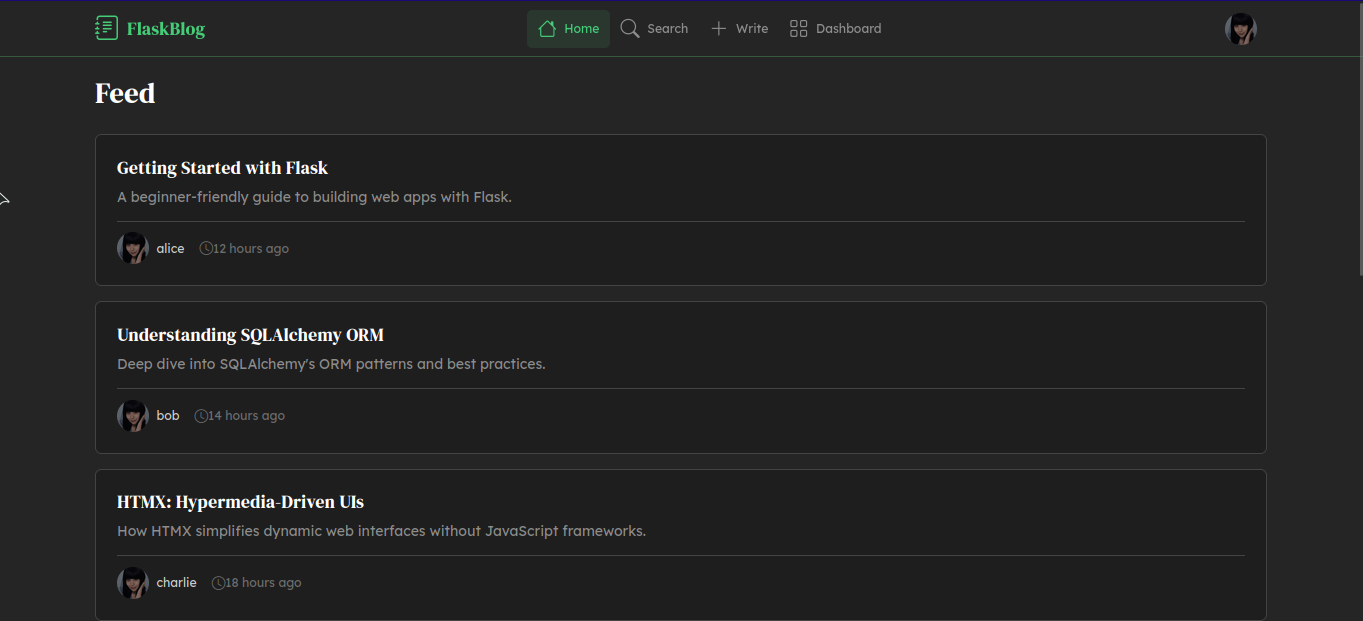
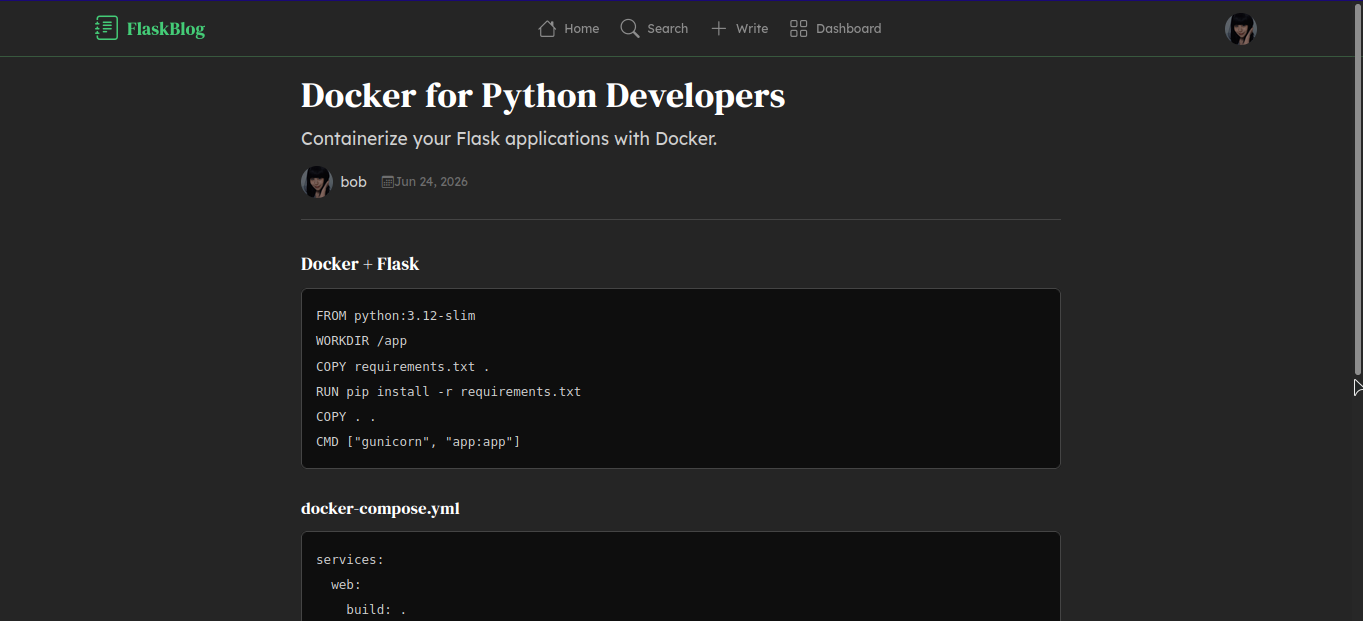
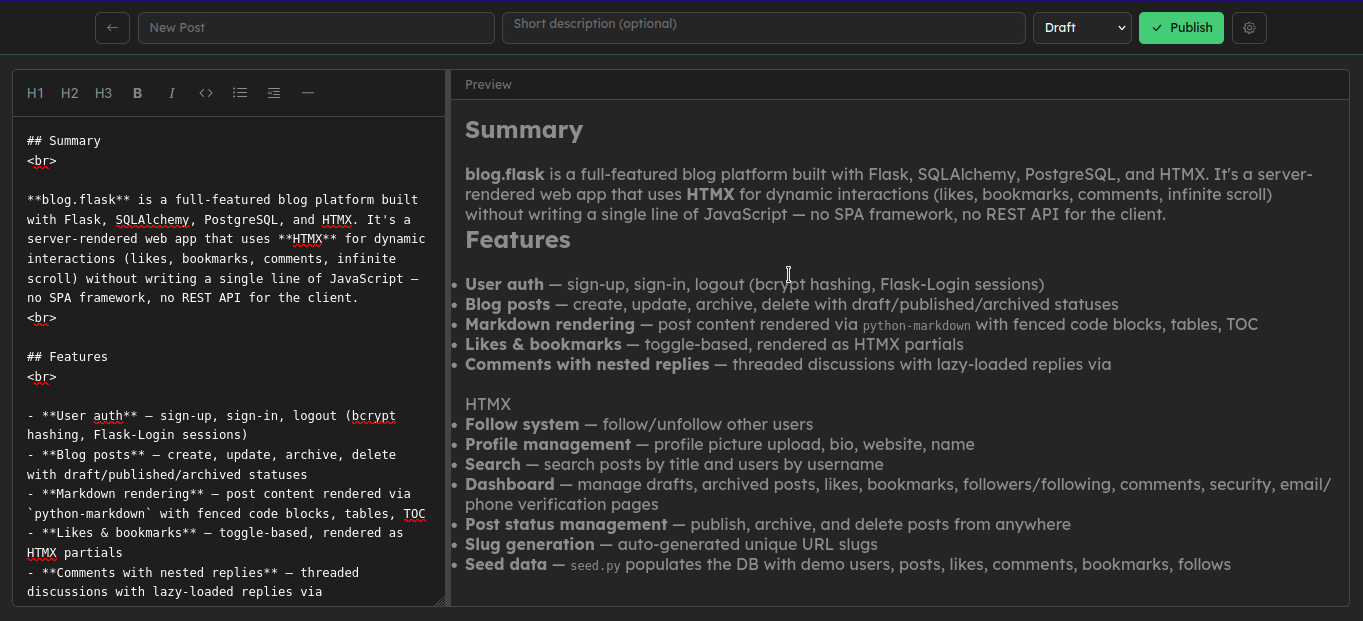
Core Capabilities
HTMX Hypermedia Architecture
Full interactivity via HTML fragments, zero custom JavaScript.
GitHub-Inspired Markdown Editor
Split-pane live preview editor with toolbar, built server-side.
Threaded Comments
Nested replies with lazy-loaded HTMX partials for performance.
Authentication & Sessions
Secure login with bcrypt password hashing and Flask-Login sessions.
Enterprise Ready
Designed for 99.99% uptime and global compliance standards.
System Architecture
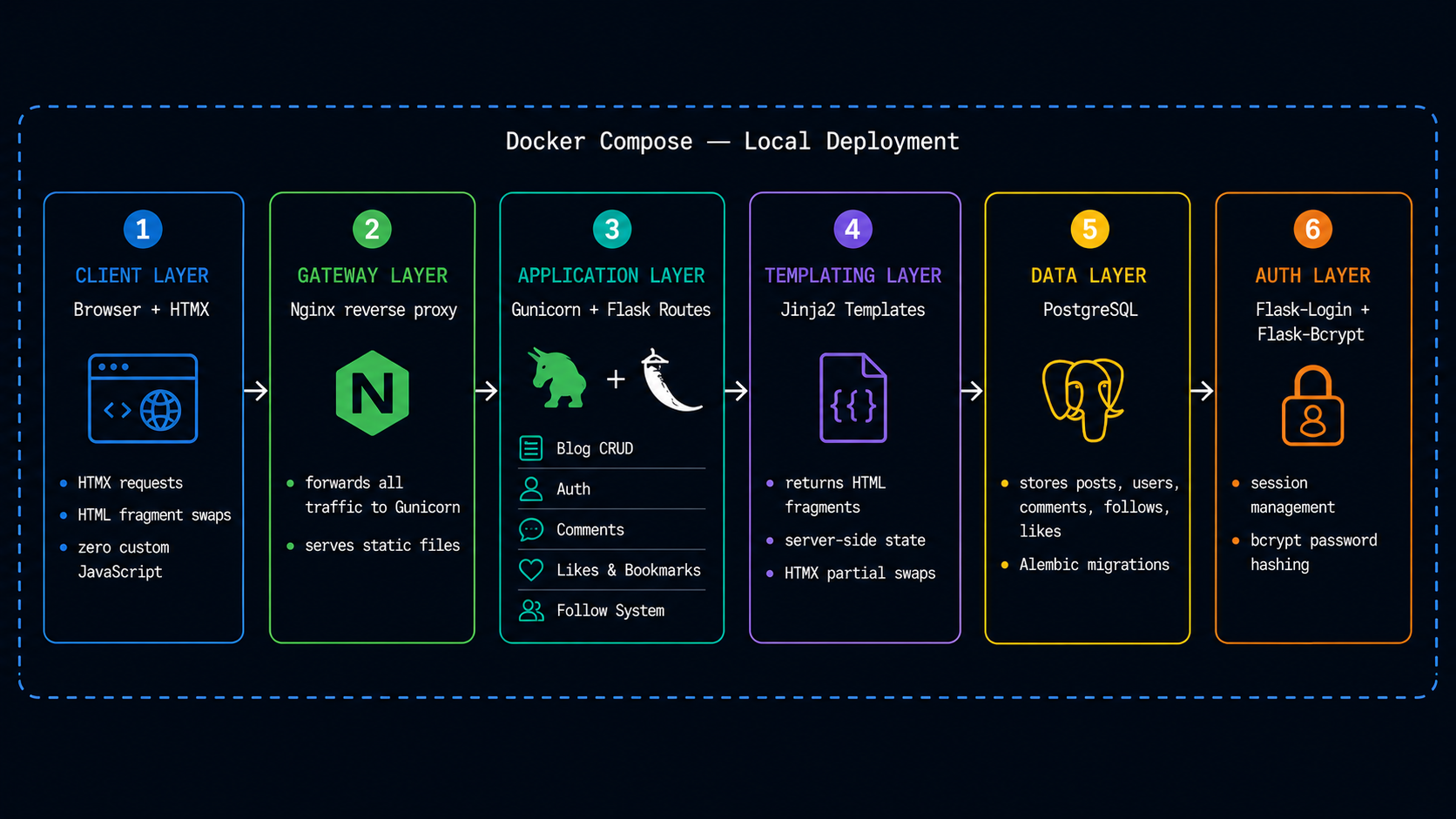
Diagram 1.3: System architecture illustrating the request flow between Browser, Nginx, Gunicorn, Flask, Jinja2, and PostgreSQL across HTMX hypermedia and server-rendered HTML protocols.
Technologies Leveraged
Challenges & Solutions
Choosing the Right Architecture
Building a full-featured social platform — with feeds, follows, likes, bookmarks, comments, and profiles — requires careful architectural decisions upfront. The wrong choice means fighting the framework at every step.
THE SOLUTION
Researched lightweight alternatives to the standard React + REST API pattern and discovered HTMX — a hypermedia-driven approach where the server returns HTML fragments instead of JSON. This eliminated the need for a JavaScript framework entirely, simplified state management, and kept the entire stack lightweight and server-rendered — perfectly aligned with the goal of building a fast, minimal platform.
Threaded Nested Comments
Implementing threaded comments where replies nest under parent comments requires a data structure that is both easy to query and efficient to render at scale.
THE SOLUTION
Used a self-referential parent_id foreign key on the comment model, indexed for fast lookups. This made fetching all replies for any comment a single indexed query, and lazy-loading reply threads via HTMX partials kept the initial page load light — replies only load when the user expands them.
Deployment & Infrastructure
System Data Flow
Request Pipeline
HTMX Interaction Flow
Markdown Pipeline
Specs & Security
Infrastructure Stack
- OSUbuntu 24.04 LTS
- RuntimeDocker 29.6
- ProxyNginx Stable
- LanguagePython 3.12
- WSGI ServerGunicorn 26.0
- Migrations Alembic 4.1
- DatabasePostgreSQL 18.4
Security Enforcement
Secrets Management
Environment variables via .env, never hardcoded.
Authentication
bcrypt hashing via Flask-Bcrypt, never stored in plaintext
Session Management
Flask-Login handles secure user sessions.
Technical Lessons Learned
HTMX Hypermedia Pattern
Building a fully interactive UI using HTMX attributes — returning HTML fragments from the server instead of JSON, eliminating the need for a JavaScript framework entirely.
Markdown Editor from Scratch
Implementing a GitHub-inspired split-pane Markdown editor with a custom toolbar (headings, bold, italic, code, lists) without any third-party editor library.
Infinite Scroll & Lazy Loading
Implementing scroll-triggered pagination and lazy-loaded comment threads using HTMX — deferring content until the user needs it without writing custom JavaScript.
Media File Serving
Handling user-uploaded profile pictures and post images through Flask's static file pipeline — managing file storage, naming, and serving within a Dockerized environment.
Threaded Data Modeling
Designing a self-referential comment model with indexed parent_id for efficient nested reply queries at any depth.
Server-Side State Management
Replacing client-side React state with server-rendered Jinja2 templates — making the server the single source of truth and eliminating client-server sync complexity entirely.
Explore the Source Code
The entire project is open-source. Contributions, bug reports, and requests are welcome via GitHub.